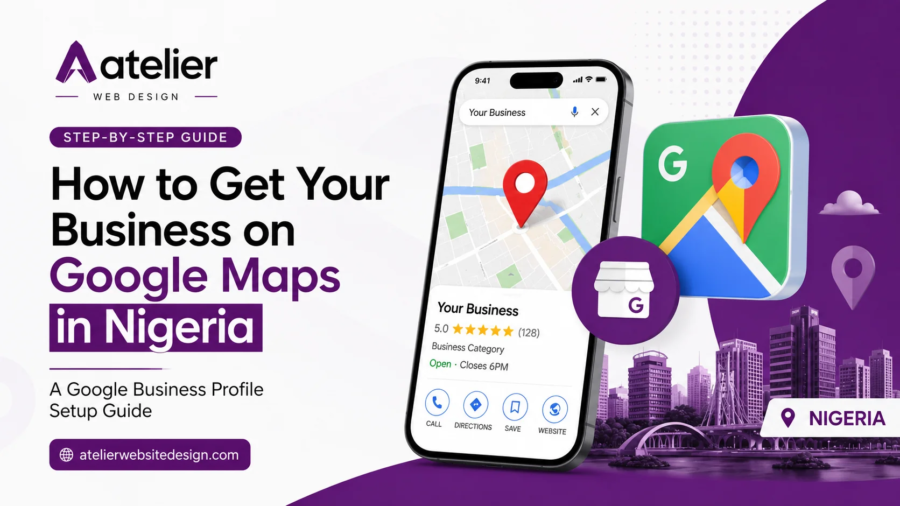
How to Get Your Business on Google Maps in Nigeria: A Google Business Profile Setup Guide

How to Get Your Business on Google Maps in Nigeria: A Google Business Profile Setup Guide

Getting your business on Google Maps in Nigeria starts with a free tool from Google called the Business Profile. Set it up the right way, and your shop, restaurant, salon, or office shows up the moment someone nearby searches for what you sell. Skip it, or set it up halfway, and your competitor down the street gets the call instead.

This Google Business Profile Setup guide walks you through the full process: creating your profile, picking the right category, getting verified, optimizing your profile for local SEO, and the small details that decide whether you show up on page one or get buried under ten other businesses with a similar name. By the end, you will know exactly what to do and where most Nigerian business owners go wrong.


Why Google Maps Matters for Your Business in Nigeria

Nigerians search on their phones first. Whether someone is looking for a hair salon in Lekki, a generator repair shop in Port Harcourt, or a hotel in Abuja, the first place they check is Google Maps, and the three businesses Google shows at the top of the results are often called the Local Pack.

If your business is not listed, or your listing is incomplete, you do not just lose a click. You lose the customer who was ready to buy right now, in your area, today. A complete Google Business Profile puts your name, address, phone number, opening hours, and reviews in front of that person before they even visit a website.


What Is a Google Business Profile?

Google renamed “Google My Business” to “Google Business Profile” back in November 2021. The tool itself stayed mostly the same: a free listing that controls what shows up about your business on Google Search and Google Maps, including your name, address, phone number, photos, hours, and reviews.

For most single-location businesses, you now manage your profile directly from Google Search or Google Maps on your phone, instead of through a separate app. Larger businesses with several branches still use the Business Profile Manager dashboard to handle everything from one place.


How to Set Up Your Google Business Profile (Step by Step)


Step 1: Search for Your Business First

Before you create a new listing, search for your business name on Google Maps. A past employee, a customer, or even Google’s own system may have already added a basic listing for you. If you find one, claim it instead of creating a duplicate. Two listings for the same business confuse Google and hurt your ranking rather than helping it.


Step 2: Sign In and Add Your Business

Go to google.com/business and sign in with a Google account. Use an account tied to the business, not a personal one; you might lose access to it later. Type in your exact business name, the same name on your signboard, invoices, and website. Mismatched names across platforms work against you.


Step 3: Choose the Right Category and Location Type

Pick the category that matches what you actually do, not the closest guess. A bakery should choose “Bakery,” not “Restaurant.” Then tell Google whether customers visit you at a physical address (a shop, office, or clinic), whether you travel to them (a plumber or event planner), or both.


Step 4: Add Your Address or Service Area

If customers come to you, add your exact address. If you serve customers at their locations and prefer not to show your home address, set up your profile as a service-area business and hide the address while still listing the towns or cities you cover. This is common for tradespeople and home-based businesses across Nigeria.


Step 5: Add Contact Details, Hours, and a Website Link

Add a working phone number, your real opening hours (including public holidays if they affect you), and a link to your website. If you do not have a website yet, this is the moment to get one. A Google Business Profile without a website behind it looks unfinished to both customers and Google, and it leaves potential customers nowhere to go once they decide to learn more about you.


How to Verify Your Google Business Profile in Nigeria

Verification is the one step that trips up the most business owners. Google needs proof that you are a real business at a real location before your profile goes live on Maps. The method Google offers depends on your business type and account, but these are the most common in Nigeria right now.


Video Verification (the Most Common Method Today)

Video verification has become Google’s main way of confirming new listings for location-based businesses in Nigeria. You record a short, unedited video, at least 30 seconds long, from a mobile device, showing your shop front, signage, and the inside of your business. You cannot record this offline and upload it later. Plan the walkthrough first: signage outside, then the entrance, then the inside, then anything that proves you run the place, like a till, stock, or staff at work.

Phone, Email, and Postcard Verification

Some accounts still receive a verification option by phone call, text message, or email instead. If your business is linked to a website with a matching domain email, Google may send a code to that email, which tends to be faster than waiting for a physical postcard. Postcard verification by mail still exists, but it can take one to two weeks to arrive in Nigeria, so use it only if no other option is offered.


What to Do If Verification Stalls or Gets Rejected

If your video gets rejected, Google will tell you why. Common reasons include dark or shaky footage, signage that does not match the business name on the profile, or footage that does not clearly show the address. Fix the issue and resubmit. If verification takes longer than a week with no update, use the Help option inside your Business Profile dashboard to contact Google support directly rather than creating a second listing.


How to Get Your Profile Ranking, Not Just Listed

Showing up on Google Maps is the first win. Showing up in the top three results for your area is the one that brings in customers.

Google ranks local listings on three things: how well your profile matches what someone searched for, how close you are to the searcher, and how trusted and active your profile looks. You cannot control distance, but you have full control over the other two.


Keep Your Name, Address, and Phone Number Consistent Everywhere

Your business name, address, and phone number (often shortened to NAP) need to match exactly across your Google Business Profile, your website, your Facebook page, and any directory that lists you. Even a small difference, like “Rd” on one platform and “Road” on another, can quietly work against you. Before you do anything else, check every place your business is listed online and fix the mismatches.


Add Photos, Posts, and Services regularly

Profiles with real, recent photos get more clicks than ones with a single logo image. Add photos of your storefront, your products, your team, and your workspace, and update them every few weeks. Use the Posts feature to share offers, new products, or updates, the same way you would post on Instagram. A profile that looks active tells Google, and your customers, that the business is open and running.


Collect Google Reviews and Reply to Everyone

Reviews are one of the strongest signals Google uses to decide which business to show first. Ask happy customers to leave a review right after a good experience, while it is still fresh. Reply to every review, good or bad. A short, polite reply to a negative review often does more for your reputation than the review itself ever could.


Use Local Words Naturally in Your Profile

Write your business description the way a customer would describe what they need: “affordable plumber in Surulere” rather than just “plumbing services.” Add your services and products inside the profile with the same wording customers actually search for. This helps Google match your profile to the right searches without you touching a single line of code.


Mistakes That Keep Nigerian Businesses Off the Map

  • Listing a home address for a business that should be set up as a service-area only, then getting flagged for a fake location.
  • Choosing a broad category like “Store” instead of a specific one that actually describes the business.
  • Leaving the phone number or hours blank, which pushes the profile down in ranking and frustrates customers who show up at the wrong time.
  • Ignoring reviews for months at a time, leaving complaints unanswered in public view.
  • Creating a second listing because the first one “disappeared,” when it was simply waiting on verification.
  • Having no website at all, or a slow one that turns visitors away the moment they click through from Google Maps.


Your Website and Your Google Business Profile Work as a Team

A Google Business Profile gets you found. A fast, well-built website is what turns that visit into a booking, a sale, or a phone call. Many Nigerian business owners stop at the profile and never finish the second half of the job.

Once someone taps your listing on Google Maps, they often check your website next, to see your full price list, your work, or your story before they call. If that website loads slowly, looks outdated, or is missing on mobile, the trust you just built on Google Maps disappears in a few seconds. The two need to work together: the profile brings the click, the custom website closes the deal.


Let Atelier Website Design Set Up and Manage Your Google Maps Presence

This is exactly the gap Atelier Website Design closes for business owners across Port Harcourt, Lagos, Abuja, and the rest of Nigeria. We do not just build the website. We set up and complete your Google Business Profile the right way, pick the correct category, write a description that matches how customers actually search, guide you through verification, and connect it to a website built to load fast and convert visitors into customers.

If you already have a website that is not bringing in calls, or you are starting from zero with no listing and no site, our team handles both as one job instead of two separate headaches. Check out our Google Business Profile setup service or get in touch for a free quote, and we will tell you, honestly, what your business needs to show up and get chosen on Google Maps.


Frequently Asked Questions on Google Business Profile Setup


How long does it take to appear on Google Maps in Nigeria?

Most profiles go live within a few days of verification once Google approves the video or code. Verification itself can take anywhere from a few hours to two weeks, depending on the method available to your account.


Is Google Business Profile free?

Yes. Creating, verifying, and running a Google Business Profile costs nothing. The only cost involved is the time or the support it takes to set it up correctly and keep it active.


Can I set up a Google Business Profile without a physical shop?

Yes. Service-area businesses, like cleaners, electricians, tutors, and consultants, can hide their home address and still appear in Maps results for the towns or cities they serve.


What if someone else already claimed my business on Google?

Search for your business on Google Maps and select the option to request ownership. Google will guide you through a separate verification process to confirm you are the rightful owner before handing over access.


Do I still need a website if I have a Google Business Profile?

Yes. A Google Business Profile shows the basics. A website is where customers go to see your full range, read your story, and contact you with confidence, especially for anyone comparing you against a competitor before they decide.


Ready to show up where your customers are already looking? Atelier Website Design builds the website and sets up the Google Business Profile behind it, so both work together from day one. Reach out today to get started.

Top 5 Reasons You Should Be Advertising on Facebook and Instagram by Atelier

Top 5 Reasons You Should Be Advertising on Facebook and Instagram

Advertising on Facebook and Instagram is one of the fastest ways a Nigerian business can reach buyers who are already looking for what you offer. Meta ads, the paid advertising system that runs across both platforms, give small and medium-scale businesses a direct, affordable path to the people most likely to spend money with them.

Nigeria records the world’s highest rate of product research on social media at 98.2%, and brand discovery through social channels sits at 66.9% of the population. Your buyers are on Facebook and Instagram. The only question is whether your brand shows up when they go looking.

Here are the top 5 reasons advertising on Facebook and Instagram belongs in your marketing plan right now.


1. Meta Ads Let You Target the Exact Audience You Want

The strongest advantage of advertising on Facebook and Instagram is precision targeting. Unlike a billboard on a highway or a radio spot, Meta ads let you choose exactly who sees your content.

You can target people by:

  • Age and gender
  • Location — down to a specific city like Port Harcourt, Lagos, or Abuja
  • Interests — people interested in real estate, fashion, food, interior design, or tech
  • Behaviours — online shoppers, frequent travellers, or recent movers
  • Life events — recently engaged, new parents, or recently relocated

Here is why this matters: traditional advertising casts a wide net and hopes for the best. Facebook and Instagram advertising place your message in front of people who fit your exact buyer profile, at a time when they are already active on their phones.

A fashion brand in Abuja does not need to show ads to users who have no interest in clothing. A restaurant in Port Harcourt can target only people within a 10-kilometre radius who enjoy dining out. This precision cuts wasted spend and puts your budget to work from day one.

Meta also uses its own data, billions of user interactions, to serve your ads to people who are most likely to take action. That is the Meta algorithm working in your favour.


Lookalike Audiences Take Targeting Even Further

Once you have customers, Meta can find more people just like them. This feature, called Lookalike Audiences, analyzes the profile of your existing buyers and finds similar users on the platform. For Nigerian businesses trying to grow their customer base without guessing, Lookalike Audiences is one of the most cost-effective targeting tools available on Meta Ads Manager.


2. You Can Start Advertising on Facebook and Instagram With a Small Budget

One of the biggest myths about Meta ads is that you need a large budget to see results. That is not true.
Facebook and Instagram advertising start at as little as $1 per day. Most small businesses spend between $5 and $20 per day and still see measurable outcomes. Let’s break it down with real numbers:

  • Average Cost Per Click (CPC): $0.30 to $4.00, depending on industry
  • Average Cost Per 1,000 Impressions (CPM): $3 to $20
  • Average Return on Ad Spend (ROAS): $2.79 earned for every $1 spent

Compare that to Google Ads, where the average CPC is $5.26. Facebook and Instagram give you comparable or better results for a fraction of the cost.

For Nigerian business owners in a market where social media advertising is projected to reach $139.5 million by 2028, getting in early and running even modest campaigns can position your brand ahead of slower-moving competitors.

A ₦20,000 monthly ad budget, managed well, can generate real website visits, enquiries, and sales. The goal is not to spend more. It is to spend smarter.


Daily vs Lifetime Budgets in Meta Ads Manager

Meta Ads Manager gives you two budget options. A daily budget controls how much you spend per day and works best for ongoing campaigns where you want steady delivery. A lifetime budget sets a fixed total that Meta distributes across your chosen campaign period, a better fit for time-sensitive promotions like product launches or limited-time offers. Choosing the right budget type helps Meta’s algorithm place your ads at the most effective times.


3. Meta Ads Show You Exactly What Your Money Is Doing

One of the most frustrating things about traditional advertising, such as TV commercials, newspaper ads, and printed flyers, is that you cannot tell what worked. You spend the money and wait.

Advertising on Facebook and Instagram removes that uncertainty.

Meta Ads Manager tracks every part of your campaign in real time. You can see:

  • How many people saw your ad (reach and impressions)
  • How many people clicked it (click-through rate)
  • How many people completed a purchase or filled a form (conversions)
  • Exactly how much each result costs you (cost per result)

This data lets you make decisions quickly. If one ad is performing well, you increase the budget. If another is not getting clicks, you swap the creative or adjust the audience. No guesswork. No waiting weeks to find out whether a campaign worked.

Here is a useful benchmark: the average conversion rate across all industries for Facebook ads is 9.21%. That means for every 100 people who click your ad, roughly 9 take an action: buying a product, booking a call, or signing up for a service.


The Facebook Pixel: Your Website Tracking Tool

The Facebook Pixel is a small piece of code installed on your website. It tracks what visitors do after clicking your ad, which pages they visit, whether they add something to a cart, and whether they complete a purchase. This data feeds back into Meta’s system and makes your future campaigns sharper. Over time, Meta learns who converts on your website and shows your ads to more people like them.

For businesses with a professionally built website, setting up the Facebook Pixel is one of the highest-return steps you can take. If your site is not set up to receive that tracking code, your website design may need to be reviewed before you run paid campaigns.


4. Facebook and Instagram Advertising Turns Warm Leads Into Paying Customers

Most people do not buy the first time they see a brand. They need multiple contacts before they feel comfortable spending their money.

This is where retargeting changes the game for advertising on Facebook and Instagram.

Retargeting lets you show ads to people who have already visited your website, watched your video, or engaged with your social media page but did not buy. These people already know who you are. A well-timed follow-up ad with a clear offer, a customer review, or a product reminder can be the nudge they need to take action.

The numbers support this clearly: retargeting campaigns on social platforms generate 2 to 3 times higher conversion rates compared to ads shown to cold audiences.

Research from Meta shows that 70% of Nigerian shoppers message a brand before making a purchase. That means your audience takes time to weigh their options. Retargeting keeps your brand in their minds during that decision window and brings them back when they are ready.


Custom Audiences and Your Existing Customer Data

Beyond website visitors, you can retarget people using your own customer data.

Upload a list of your existing customers’ phone numbers or email addresses, and Meta will match them to active accounts on Facebook and Instagram.

You can then run re-engagement campaigns aimed at these people, offering loyalty deals, promoting new products, or asking for reviews. This is one of the most cost-efficient ways to grow revenue from people who already trust you.


5. One Meta Ads Campaign Runs Across Both Platforms at the Same Time

Here is something many business owners do not realize: when you run advertising on Facebook and Instagram, you manage both platforms from one place: Meta Ads Manager.

You do not need two separate ad accounts, separate strategies, or separate budgets. One campaign setup, and your ads appear across Facebook feeds, Instagram feeds, Stories, Reels, and the Audience Network.

This cross-platform reach is one of the strongest arguments for choosing Meta ads over other paid channels. Facebook tends to attract users aged 25 to 55+, making it well-suited for corporate services, real estate, financial products, and business-to-business offers. Instagram skews younger, typically 18 to 35, making it ideal for fashion, beauty, food, lifestyle, and consumer products.

For a Nigerian business with a broad target audience, running ads across both platforms means you can reach people at different stages of their buying journey on the platform they prefer.

Pair your Meta ads strategy with a well-designed website, and you create a complete path from first impression to final sale. At Atelier Website Design Agency, we build websites in Port Harcourt and across Nigeria that are designed to drive traffic from paid campaigns and convert visitors into buyers.

We also plan, design, and manage Facebook and Instagram ad campaigns that reach your ideal customers in Nigeria and beyond. From ad creative to audience targeting and performance tracking, we run Meta ads that generate real leads and sales for your business.


How Meta Business Suite Keeps Everything Organized

Meta Business Suite is the free tool that lets you manage your Facebook Page, Instagram account, and ad campaigns from one dashboard. You can schedule posts, respond to messages, view analytics, and run ads without switching between apps or platforms.

For small business owners juggling daily operations, Meta Business Suite saves hours every week and keeps your paid and organic social strategy working together.


Common Questions About Meta Ads for Nigerian Businesses


Are Meta ads worth it for small businesses in Nigeria?

Yes. With Nigeria recording a 98.2% social media product research rate and social advertising accounting for 38.5% of all digital ad spend in Nigeria, Meta ads give local businesses one of the most cost-effective ways to reach buyers who are already active on these platforms.


How much should I spend on Facebook and Instagram ads?

A starting budget of $5 to $10 per day is enough to test a campaign and gather usable data. As you see what works, you scale up.

The average return across industries sits at $2.79 for every $1 spent, and well-managed campaigns go much higher. The minimum Meta allows is $1 per day.


Do I need a website to run Meta ads?

You do not need a website to run ads, but having one makes your campaigns far more effective.

A professional website gives your ads a trusted destination, allows you to install the Facebook Pixel for conversion tracking, and gives customers a place to learn more and buy.

Without a website, your audience has nowhere to go after clicking your ad, and you lose the ability to retarget or track results properly. Read more in our post on whether small businesses should focus on websites or social media first.


What is the difference between Facebook ads and Meta ads?

Meta ads is the umbrella term for paid advertising across all Meta platforms: Facebook, Instagram, Messenger, and the Audience Network.

When you run a Meta Ads campaign, you can choose to place it on one platform or all of them from a single Ads Manager account.


Ready to Start Advertising on Facebook and Instagram?

We consult on Meta ads strategy so every naira you invest in paid social works harder.

Also, Meta ads work best when they send traffic to a website that converts. If your business does not have a professional website yet, or your current site is not built to support paid campaigns, your ad spend will not go as far as it should.

At Atelier Website Design Agency, we design and build websites for businesses in Port Harcourt and across Nigeria that are built to convert.

Get a free website consultation with Atelier Website Design Agency

Should Small Businesses Focus on Websites or Social Media First

Should Small Businesses Focus on Websites or Social Media First?

Should small businesses focus on websites or social media first? If you have asked yourself this question while trying to grow your brand in Nigeria, you are not alone. Every day, entrepreneurs in Port Harcourt, Lagos, Abuja, and across the country face this exact decision with limited budgets and limited time.

The honest answer is: build your website first. Then use social media to drive people to it.

Let us explain exactly why that order matters, what each channel does well, and how to make both work together so your business grows online and your money goes further.


The Question Every Nigerian Business Owner Asks

Most new businesses in Nigeria start on Instagram or WhatsApp. It feels natural. It is free to set up, your friends and family can share your posts, and you get a feel for what customers want before you spend a kobo on a website.

Social media tends to be much easier for people to drive on their own than a website, so it is a quick way to get things going, especially when you are excited about a new business.

That enthusiasm makes sense. But “quick to start” is not the same as “the right foundation.” As your business grows, the cracks in a social-only strategy start to show.


What Social Media Does Well for Your Business

Social media is a reach machine. Nigeria has the world’s highest rate of brand discovery on social media, at 66.9%, meaning more Nigerians discover new businesses through social platforms than in almost any other country on earth. That is a real advantage you should use.

Why Nigerian Entrepreneurs Favour Social Media

Social platforms give you visibility with almost zero startup cost. You can post a product photo on Instagram today and receive your first inquiry by tonight. WhatsApp Business lets you share product catalogues, respond to customer questions, and process orders all within a single app. For Nigerian businesses, especially those just starting, WhatsApp isn’t just a chat app; it’s your customer service line, catalogue, and sales funnel rolled into one.

Facebook reaches the broadest audience. Facebook remains the biggest digital marketing platform in Nigeria in 2026 and has one of the largest user bases globally. TikTok is growing fast, especially among younger Nigerians.

Businesses that create short, authentic video content on these platforms can build a following without paying for ads.

The Hidden Risks of Relying Only on Social Media

Here is the part most people ignore until it is too late. Every follower on Instagram belongs to Instagram. Every contact in your WhatsApp group belongs to WhatsApp. Your Instagram, Facebook, TikTok, and Twitter (X) accounts are owned by someone else.

This means that your social media accounts could be shut down, blocked, or censored at any time, and as a small business owner, there is nothing you can do about it.

Algorithm changes hit without warning. One platform update can cut your post reach by 70% overnight. And when potential corporate clients ask for your “official website,” pointing them to an Instagram profile sends the wrong message at a very expensive moment.


What a Website Does That Social Media Cannot

A website is the only digital asset your business fully owns. No algorithm controls it. No platform policy threatens it. No competitor can make it disappear.


You Own Your Website — No Platform Can Take It Away

Your website lives on a server you pay for, under a domain name you register. The content there is yours permanently. When your electricity is out, when Meta is down, when a social platform bans your account unfairly, your website keeps working. It answers customer questions at 2 a.m. It collects lead information on a Sunday. It showcases your portfolio to a client in Abuja who has never visited Port Harcourt.

Your website is your digital handshake. People trust businesses with websites. It signals that you are established, invested, and planning to stick around.


Google Search Finds Your Website, Not Your Instagram Page

According to social media statistics Nigeria 2025, Nigerian brand discovery on social platforms hit 66.9% in 2025, yet those same users turn to Google when they are ready to buy.

Search engine optimization (SEO) is how your website earns free traffic from Google over time. When someone in Port Harcourt searches “Outdoor catering agency in Rivers State” or “small business website design Nigeria,” Google returns websites, not social media profiles.

When someone types “best fence company in Lekki” or “warehouse storage solutions near me,” SEO determines whether your business shows up. The core benefit of SEO is intent; people searching Google are actively looking for a solution. They already want what you offer.

This logic applies directly to Nigerian businesses: a client searching for your service on Google is already ready to buy. You just need to show up.

A blog post published on your website today can attract visitors and leads for the next two to three years without any additional spending.


Your Website Converts Visitors Into Paying Clients

Social media creates interest. Your website closes the deal. Think about how a buying decision actually works: a potential client sees your Instagram Reel, gets curious, and immediately searches for more information. If they land on a professional website with clear services, real testimonials, and a simple contact form, they enquire. If they only find another social page, they move on to a competitor who does have a website.

When you want to get serious and learn more about a business, you go to its website. Without a website, the sales funnel leaks at the most important moment.


Websites or Social Media First? Here Is the Clear Answer

Build your website first. Here is why.

Your website is your digital headquarters. Every social media post you publish, every WhatsApp broadcast you send, every Google Ad you run should direct people back to a place you own and control. Without a website, all that effort sends people to platforms that do not belong to you.

Social media is excellent for visibility and connection. Websites remain essential for trust, search visibility, and conversions. One without the other limits your growth.

If your budget is tight right now, start with a lean but professional website: a homepage that clearly explains what you do, a services page, and a contact page with a visible call-to-action. That is your foundation. Add social media to drive traffic back to it.

Explore our professional website design services to see how we build websites that work for Nigerian businesses at every budget.


Build in This Order: Website First, Social Media Second

Follow this sequence to build a strong online presence without spreading yourself too thin.

Step one: Launch a fast, mobile-ready website. Nigeria is a mobile-first market. Most visitors will land on your site using a smartphone on mobile data. Your website must load in under three seconds and display clearly on a small screen. Slow, broken mobile sites lose clients before they read a single word.

Step two: Set up Google Search Console and Google Analytics. These free tools from Google show you who visits your website, which search terms bring them there, and which pages they leave without taking action. You cannot improve what you cannot measure.

Step three: Pick one or two social platforms that match your audience. A B2B services firm in Port Harcourt should focus on LinkedIn and Facebook. A fashion or beauty brand should invest in Instagram and TikTok. A local food vendor should use WhatsApp and Facebook. Do not try to be active everywhere at once.

Step four: Use every social media post to push traffic back to your website. Your Instagram bio link should go to your services or contact page. Your WhatsApp status should link to your portfolio. Every post has one job: get the right person to your website.


How to Use Both Together to Grow a Nigerian Business

The strongest Nigerian businesses in 2026 treat social media and their website as two parts of one system.

Think of a Port Harcourt-based professional services firm. They publish three posts per week on Instagram showing recent project work. Each post caption includes a direct call to action pointing to a specific page on their website. The website captures visitor details through a free consultation offer. That contact list then belongs to the business permanently, regardless of what any social platform decides next.

This approach builds compounding value. Each new blog post increases the website’s SEO strength. Each new backlink from a partner website raises its Google ranking. Each new email subscriber becomes a long-term marketing asset. Social media fuels the engine; the website is the engine itself.


Why Small Businesses in Port Harcourt Need a Website Right Now

Port Harcourt is Nigeria’s commercial capital in the Niger Delta, home to a growing number of businesses in oil services, logistics, professional consulting, hospitality, fashion, and tech. Competition for clients in the city is growing each year.

Nigerian consumers increasingly “Google it” before making purchasing decisions. If your business doesn’t show up, you’re losing customers daily.

When a potential client in Port Harcourt searches for your type of service and finds a competitor with a clean, fast, professional website while your business has only a social page, you lose that client before they ever contact you.

A professionally designed website from Atelier Website Design Agency positions your business as established and ready to deliver.

Paired with local SEO, it can place your brand on the first page of Google search results for key terms across Rivers State and beyond.


Frequently Asked Questions


Can a small business survive in Nigeria with only social media and no website?

Some businesses make sales using only WhatsApp and Instagram in Nigeria, particularly in fashion and fast-moving consumer goods. This approach has a ceiling. You depend entirely on platforms you do not control, you miss all organic Google traffic, and high-value corporate clients often require a professional website before signing a contract.


How much does a small business website cost in Nigeria?

The cost depends on the scope and the agency. A professional small business landing page website in Nigeria typically starts from ₦200,000. At Atelier Website Design Agency, we design websites built for Nigerian businesses that load fast, rank on Google, and convert visitors. Request a free quote to see what works for your budget.


How long before a website starts bringing in leads?

A website can start attracting enquiries immediately if you run social media promotion or paid ads pointing to it. For organic Google traffic through SEO, most businesses see clear progress within three to six months of consistent optimization work.


Should I start with social media or SEO?

Start with your website and basic SEO, then add social media. SEO builds long-term search visibility that brings in clients already prepared to buy. Social media builds short-term awareness. Both are stronger together, with your website at the center.


Ready to Build a Website That Wins You Clients?

If you are serious about growing your business online, the single best investment you can make right now is a professional, SEO-ready website.

Atelier Website Design Agency is the website design and local SEO partner trusted by businesses in Port Harcourt and across Nigeria. We build websites that load fast, rank on Google, and turn visitors into paying clients.

Request your free consultation today and find out what the right website can do for your business.

Why Your Business Needs Digital Marketing

Why Your Business Needs Digital Marketing and Where to Start

Whether your business needs digital marketing is no longer in doubt. Every day, millions of Nigerians pick up their phones, open Google, and search for the products and services you sell. If your business does not show up, a competitor does. Today, we will break down exactly why digital marketing matters for small and medium-scale businesses in Nigeria, and give you a clear starting point, even if you have never run a single online campaign before.


What Digital Marketing Actually Means for Your Business

Digital marketing covers every way you promote your business using the internet. That includes your website, your Google listing, your social media pages, paid ads, email newsletters, and the content you publish online. Think of it as your business showing up wherever your customers spend their time online.

Customers spend most of their time online, searching on Google, scrolling through social media, watching videos, or shopping on e-commerce platforms. If your business has no presence on those channels, you are invisible to the very people who want to buy from you.

Traditional marketing, such as flyers, radio jingles, and billboards, still plays a role in Nigeria. But here is the gap: a billboard in Ikeja may get thousands of views daily, but how many of those views turn into store visits or sales? You cannot tell exactly how many people saw your ad or acted on it. Digital marketing gives you data you can act on.


The Nigerian Market Makes Digital Marketing Non-Negotiable

Nigeria is one of the fastest-growing digital markets in Africa. The numbers tell a clear story.


Over 109 Million Nigerians Are Now Online

As of late 2025, 109 million Nigerians were using the internet, representing 45.5% internet penetration, and over 84% of Nigeria’s internet traffic comes from mobile devices (Source: Nigeria internet usage report 2025, DataReportal.)

That means your customers are not sitting at desks. They are scrolling on their phones in traffic, at the market, and at home after work. Any digital marketing you do must be built for mobile screens first.

150 million cellular mobile connections were active in Nigeria in early 2025, equivalent to 64% of the total population. More people have mobile connections than bank accounts. Your business needs to meet them there.


Your Customers Research Online Before They Buy

Here is a fact that should change how you think about marketing. Social networks at 86.2% and search engines at 85.6% dominate brand research in Nigeria, while traditional channels like TV ads lead brand discovery at 70.2%.

What this means in plain terms: a customer might first hear about you through word of mouth or a TV ad. But before they spend a single naira with you, they are going to Google you, check your Instagram, or look for your website. If none of those exist, you lose the sale.

Smart money is moving to digital. Early adopters are winning. And the window of opportunity for small and medium businesses is wide open right now.


6 Reasons Your Business Needs Digital Marketing Right Now

Let’s break it down. Here are the six biggest reasons businesses in Nigeria cannot afford to skip digital marketing.


1. You Reach More People for Less Money

Running a full-page newspaper ad in Lagos can cost hundreds of thousands of naira. Digital marketing is more targeted, measurable, and flexible for businesses with smaller budgets or niche audiences. A well-targeted Facebook ad can reach thousands of people in Port Harcourt, Abuja, or Lagos for as little as ₦2,000 per day.

Tactics such as social media marketing, email marketing, and search engine optimization usually deliver considerable returns compared to traditional marketing. You do not need a television budget to build a national brand.


2. You Measure Every Naira You Spend

With digital marketing, you see exactly what works. You know how many people clicked your ad, visited your website, and called your number. Every company with a website has analytics. Google Analytics and similar tools tell you volumes of visits. That means you stop guessing and start growing.


3. You Build Trust Before a Customer Meets You

Think about your own buying habits. When someone recommends a restaurant, a tailor, or an architect, what do you do? You look them up online. Consumers are unlikely to trust brands that lack reliability and transparency. A professional website and an active social media presence tell customers you are real, you are active, and you can be trusted.


4. Local SEO Puts You in Front of Buyers Near You

Local SEO is one of the most underused tools for Nigerian businesses. When someone in Port Harcourt types “website design agency near me” or “wedding planner Port Harcourt” into Google, the businesses that show up are the ones who have set up their Google Business Profile and optimized their website for local search. Local SEO remains a high-return gap for SMEs. Claim and optimize Google Business Profile with photos, hours, and reviews.

At Atelier Website Design Agency, we help businesses in Port Harcourt and across Nigeria get found by the exact customers searching for their services right now.


5. You Stay Open and Selling Around the Clock

Your shop closes. Your website does not. A customer can visit your website, read about your services, see your prices, and send you an inquiry at 2 am on a Sunday. That is sales activity happening without you lifting a finger. A well-designed website with clear calls to action works as a 24-hour salesperson for your business.


6. You Compete With Bigger Brands on a Fair Playing Field

Digital marketing rewards relevance, not just budget. A small bakery in GRA Port Harcourt with a fast, well-written website and good Google reviews can outrank a large chain with poor local SEO. The e-commerce sphere, entirely fueled by digital marketing, allows marketing to be accessible almost anywhere in the world. You do not have to be the biggest. You have to be the most visible.


Where to Start With Digital Marketing in Nigeria

The most common mistake business owners make is trying to do everything at once. Here is a simple, five-step starting point that works for businesses of all sizes.


Step 1: Build a Website You Own

Your website is your most important digital asset. Social media pages can be suspended. Algorithms change overnight. But your website belongs to you. A clean, mobile-friendly site with clear service information and contact options builds credibility and is often your first point of visibility in local research.

Your website does not need to be large. It needs to be fast, mobile-friendly, clearly written, and easy to contact. A five-page website that loads quickly and answers customer questions will always outperform a complicated site that confuses visitors. See our website design services in Nigeria to get a site built the right way.


Step 2: Claim Your Google Business Profile

This is free and takes about 20 minutes. Go to Google Business Profile, search for your business name, and claim or create your listing. Add your address, phone number, opening hours, photos, and a short description. This listing is what appears in Google Maps and in local search results. Claim and optimize Google Business Profile with photos, hours, and reviews. Create location pages with clear calls to action.


Step 3: Choose One or Two Social Media Channels

Do not spread yourself across every platform. Over 40 million Nigerian users actively use Facebook, with highly detailed targeting options for age, interests, and location, and support for multiple content formats. Facebook and Instagram work well for product-based businesses. LinkedIn is better for B2B and corporate services. WhatsApp Business is the best direct customer communication tool in Nigeria.

Choose one platform where your audience is most active. Consistent posting, even just once a week, can strengthen brand recognition and customer engagement.


Step 4: Start Creating Content That Answers Questions

Content marketing means writing, recording, or designing material that answers the questions your customers are already asking. A restaurant can post weekly recipes. An accountant can explain tax filing deadlines. A fashion brand can share style guides. By sharing valuable content and interacting with users, businesses can increase their visibility and build a community around their brand.

Start with one blog post or one short video per week. Stay consistent. After three months, you will start seeing organic traffic grow.


Step 5: Invest in SEO and GEO From Day One

SEO, or Search Engine Optimization, is the process of making your website appear higher in Google search results when people search for your products or services. Generative Engine Optimization (GEO) is simply creating your content in a way that gets it cited by Large Language Models (LLMs) such as ChatGPT, Claude, Perplexity, Gemini, etc.  SEO/GEO is different from other digital marketing methods because it aims to give a business steady and lasting growth over time, focusing on driving long-term organic traffic and helping the site rank on the search results pages.

You do not need to hire an agency on day one. Start with these three things: write clear page titles that include the service you offer and your city, make sure your site loads fast on mobile, and ask every satisfied customer to leave you a Google review.


Common Digital Marketing Mistakes Nigerian Businesses Make

Knowing where to start is one thing. Knowing what to avoid saves you money. Here are the most common mistakes we see from Nigerian SMEs.


Boosting posts without a strategy

Paying Facebook to “boost” a post is not the same as running a targeted ad. Business owners invest ₦500,000 to ₦5 million in Facebook ads over several months, boosting posts and running campaigns without a coherent strategy, then admit they were operating on assumptions rather than strategy. Always define your target audience and your goal before spending.


Building on rented land

If your only online presence is an Instagram page, your business depends entirely on a platform you do not control. Instagram has suspended accounts without warning for no clear reason. A website gives you a permanent home that no algorithm can take away.


Ignoring mobile users

With 84% of Nigerian internet traffic coming from mobile devices, a website that is slow or hard to use on a phone will push customers straight to a competitor.


Skipping local SEO

Most Nigerian business owners do not know that their Google Business Profile listing is often the first thing a customer sees, even before their website. Leaving it unclaimed or incomplete is a missed opportunity every single day.


When to Hire a Digital Marketing Agency in Port Harcourt

At some point, the daily demands of running your business will compete with the time needed to manage your marketing. That is when working with a professional agency makes sense.

A good digital marketing agency in Port Harcourt should build you a mobile-first website, set up and manage your local SEO, run paid ad campaigns with clear reporting, and produce content that attracts organic search traffic. Look for an agency that shows you results, not just activity.

Atelier Website Design Agency is one of the best website design and digital marketing agencies in Port Harcourt and Nigeria. We work with corporate companies, SMEs, and personal brands to build online presence that generates real leads.


Frequently Asked Questions About Digital Marketing for Businesses


What is digital marketing in simple terms?

Digital marketing is promoting your business through online channels such as your website, Google search, social media, email, and paid ads. It helps customers find you when they search online.


How much does digital marketing cost in Nigeria?

Costs vary based on what you need. A basic setup, including a website, Google Business Profile, and one social media channel, can cost between ₦200,000 and ₦500,000+, depending on your industry and scope.


What is the best digital marketing channel for small businesses in Nigeria?

Start with a website and local SEO. Then add Google Business Profile. Once those are in place, pick one social media platform where your target audience spends the most time.


How long does it take to see results from digital marketing?

Paid ads can generate leads within days. SEO and content marketing take three to six months to build momentum. Email marketing and social media results depend on how consistent you are.


Do I need a website if I already have social media pages?

Yes. Social media supports your marketing, but your website is the asset you own. A website builds credibility, captures leads, and ranks in Google search results in a way that a social media page cannot replicate.


Ready to start? Atelier Website Design Agency builds websites and digital marketing systems for businesses in Port Harcourt, Lagos, Abuja, and across Nigeria. Talk to our team today and get a free consultation.